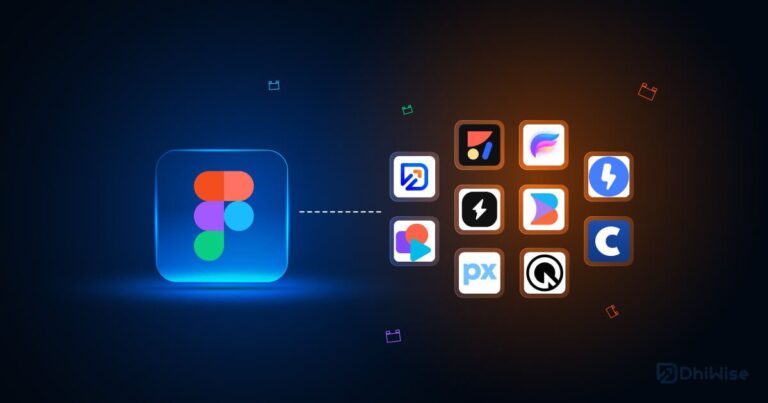
Top 10 UX/UI design tools in 2026

Design UX/UI in 2026 hectares evolved in a remarkable way and, therefore, it has become a much more collaborative, fast and product-centered process. In addition, the tools are no longer simple design programs, but complete platforms that integrate Design, prototyping, testing and collaboration in real time.

Consequently, today the choice of software suitable not only affects the designer, but also the entire workflow of a team: from product to development and marketing.

Therefore, in this blog we analyze the 10 best UX/UI design tools in 2026, based on its real use in the industry, its evolution and its impact on modern digital projects.

1. Figma

Figma it has undoubtedly established itself as the global design standard. UX/UI.

On the one hand, its main advantage is that it works completely in the cloud, on the other hand, this allows entire teams to design in real time on the same project, without the need to send files or versions.

In addition, it is used for:

  • Design full interfaces of digital products
  • Creation of scalable design systems
  • Prototyped Advanced interactive
  • Collaboration Between design, product and development

🔎 Likewise, his ecosystem of plugins and its ability to integrate with other tools make it an extremely flexible solution for companies of any size.

2. Adobe XD

Adobe XD it is still a valid option, although with less prominence than in previous years.

Indeed, although its evolution has been slower, it still offers interesting functionalities for Design and prototyping.

Therefore, it is used for:

  • Wireframes Fast and initial interface design
  • Prototypes with basic transitions
  • Design of simple or moderately complex experiences

In addition, it is especially useful in environments where Photoshop and Illustrator they are already part of the workflow.

adobe logo xD

3. Sketch

Sketch it was for years the benchmark of UI design, especially on Mac.

However, although it has lost prominence against Figma, it is still used in more controlled projects or in small teams.

Specifically, it is used for:

  • Design light and fast interfaces
  • Creation of reusable symbol systems
  • Work individually or in small teams

However, its main limitation it is still a lack of real-time collaboration.

4. Framer

Frame it has gained relevance progressively, since it allows to move from design to the real web almost without friction.

In fact, it is used for:

  • Interactive landing pages
  • Advanced prototypes with real animations
  • Web experiences close to production

🔎 Therefore, it has become a very powerful tool for equipment of marketing and product.

Framer logo

5. Uxpin

Uxpin it stands out, above all, for allowing highly realistic prototypes that include logic and behavior.

In this sense, it is used to:

  • Simulation of complex products
  • User flows advanced
  • Design Based on real development components

👍 So, it’s very useful when needed Validate products before building them.

6. Webflow

WebFlow combines visual design with web development no need for code.

Therefore, it is used for:

  • Creation of complete websites
  • Conversion-optimized landing page design
  • Direct publication of the final product

Also, it’s very Popular in marketing and startups.

social_square_blue-1

7. FigJam

FigJam it is the tool of Brainstorming of Figma.

Consequently, it is used for:

  • Experience maps of user
  • Ideation of products
  • Workshops collaborative

🔎 This way, it helps structure ideas before moving on to the final design.

8. Maze

Maze it is mainly focused on the UX research and user testing.

Therefore, it is used for:

  • Usability test of prototypes
  • Validation design decisions
  • Analysis of user behavior

🔎 This allows you to improve the experience before launch.

maze-social-preview

9. Artificial intelligence in UX/UI design

The artificial intelligence it is already part of the modern workflow in UX/UI.

In practice, it allows:

  • Generate Initial interfaces automatically
  • Optimize Layouts based on usage patterns
  • Create content and structures automatically
  • Accelerate Repetitive design processes

🔎 However, although it automates tasks, it does not replace the designer’s criteria, but rather enhances it.

10. Penpot (Open Source)

Penpot it is an alternative Open Source a Figma that is growing steadily.

Therefore, it is used for:

  • Teams seeking independence from proprietary tools
  • Open source or collaborative projects
  • UX/UI design without license cost

🔎 Although it is still in development, it positions itself as an interesting option. Future.

In short, the UX/UI design in 2026 it is dominated by tools Collaborative, flexible and more and more smart.

On Cofana Labs, we understand that the UX/UI design does not depend only on the tools, but on how they are used within a well-defined product strategy.

The key is not to use more tools, but to use them intelligently, with intention and aligned with the objectives of the business.

On Cofana Labs we help you transform ideas into solid digital products, optimized and prepared to grow over time.

Contact us at 📩 info@cofanalabs.com

LITERATURE

Book your first free consultation now!